
Search & Browse API
Use this document for internal purpose only. It is not suppose to be shared with customers
After product catalog is indexed, client can use Search and Browse API to power their search and category pages.
Indexed catalog can be viewed through search api using ?q=* query parameter
Consider the catalog at below link
Take a look at its correspondng website
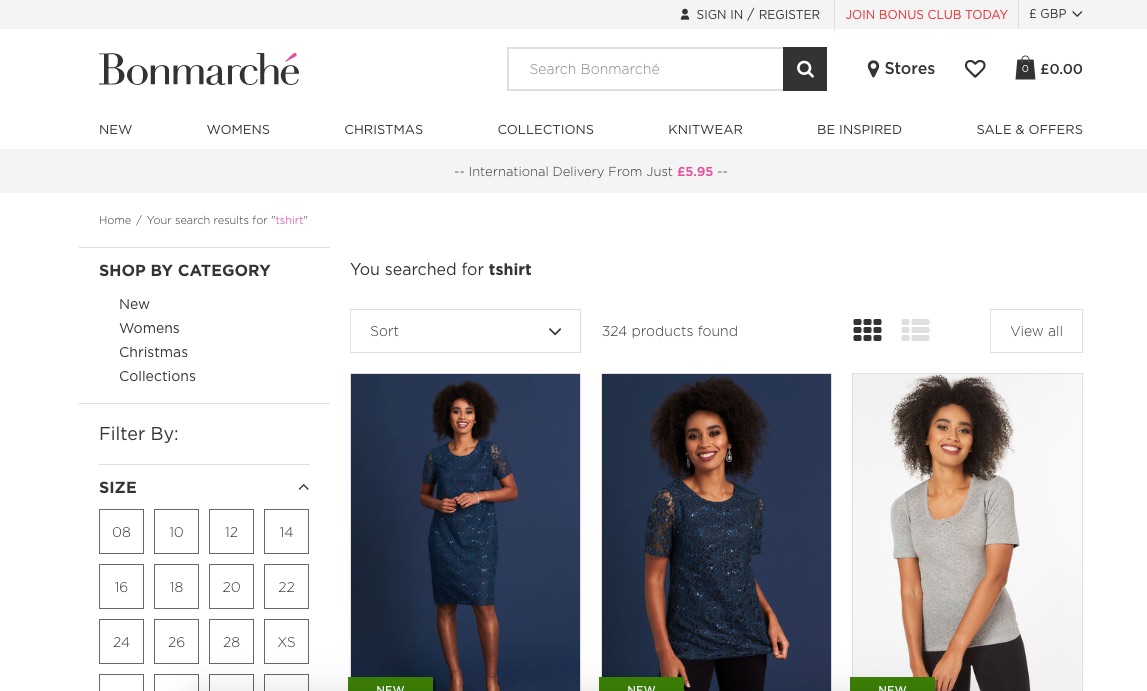
Search Usecase
Simple Query
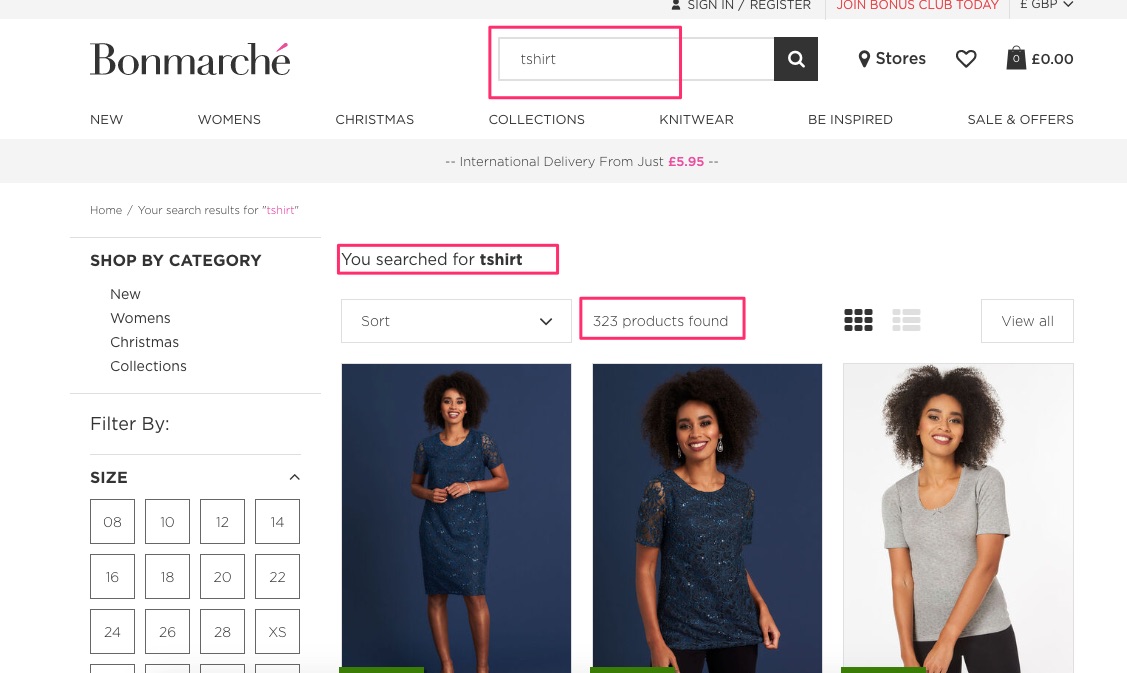
Search for particular product by typing query in the search box
Code
$> curl http://search.unbxd.io/api_key/site_key/search?q=tshirt
Filter Query
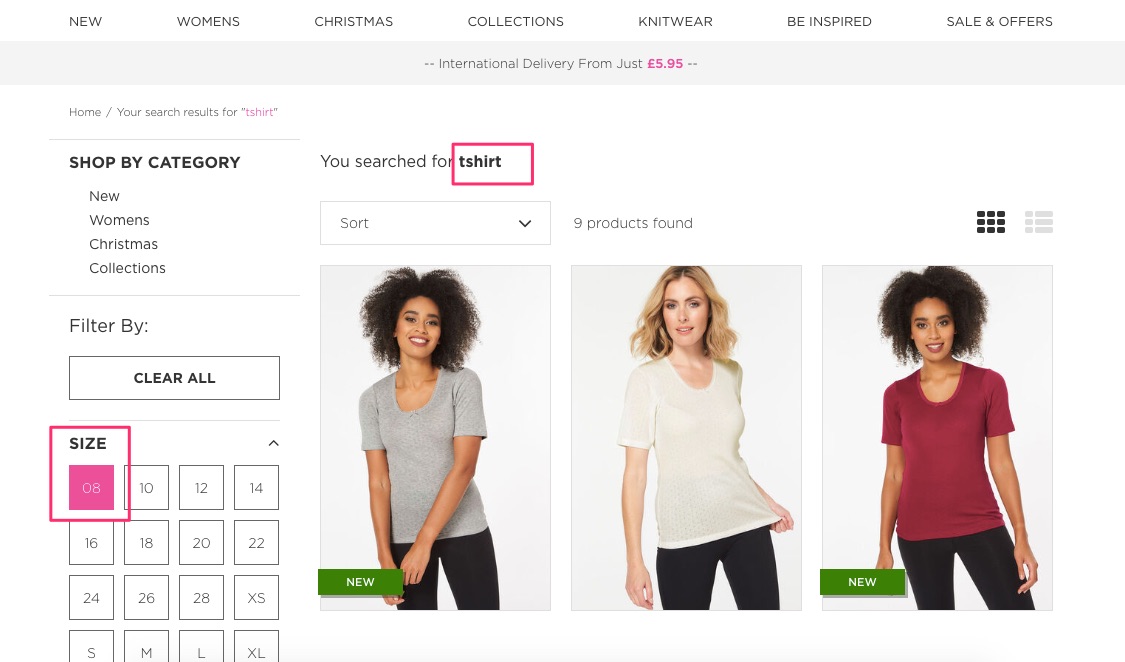
Filtering the search api results based on the given product attribute
Code
$> curl http://search.unbxd.io/api_key/site_key/search?q=tshirt&filter=size_uFilter:8
Multiple Filters ( AND Join )
Filtering the search api results based on multiple filters

https://search.unbxd.com/search?q=tshirt&filter=size_uFilter:8&filter=color_uFilter:Blue
Multiple Filters ( OR Join )
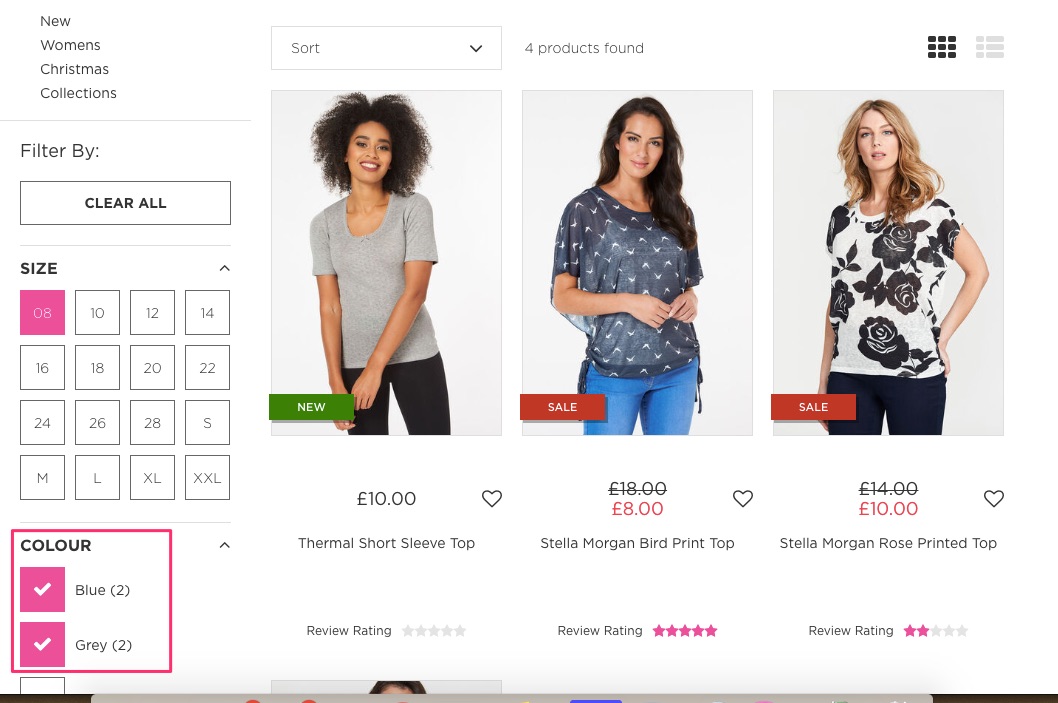
Filtering the search api results based on multiple filters joined by OR condition
Code
$> curl http://search.unbxd.io/api_key/site_key/search?q=tshirt&filter=size_uFilter:8&filter=color_uFilter:(Blue OR Grey)
OR Join is not supported between two different filters
Search Multiple Filters ( Range Filters )
Code
$> curl http://search.unbxd.io/api_key/site_key/search?q=tshirt&filter=size_uFilter:8&filter=color_uFilter:(Blue OR Grey)&filter=price_uFilter:[10 TO 50]
Category filters
Filtering search results based on the category they belong to
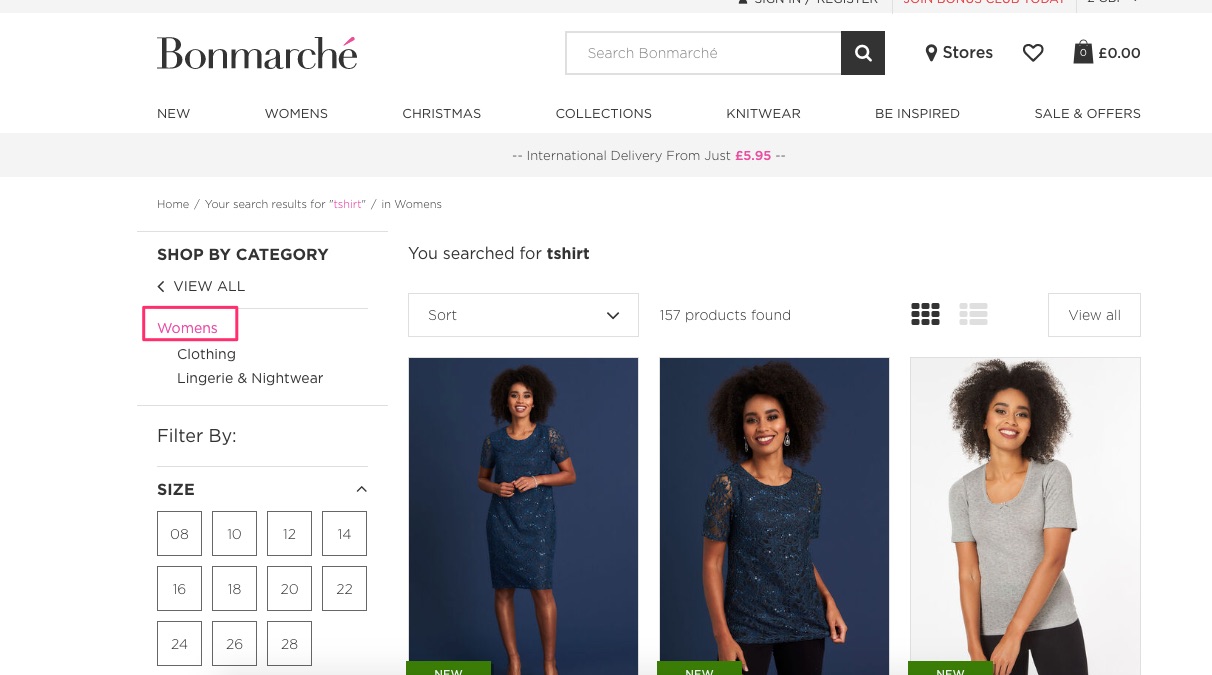
Code
$> curl http://search.unbxd.io/api_key/site_key/search?q=tshirt&category-filter:"Home>Womens"
Sorting
Code
$> curl http://search.unbxd.io/api_key/site_key/search?q=tshirt&filter=size_uFilter:8&filter=color_uFilter:(Blue OR Grey)&filter=price_uFilter:[10 TO 50]&sort=salesrank asc
Facets Creation
Code
$> curl http://search.unbxd.io/api_key/site_key/search?q=tshirt&facet=true&facet.field=size
It will create facets on field size. Facets can also be created and published through console
Multiple facets creation
Code
$> curl http://search.unbxd.io/api_key/site_key/search?q=tshirt&facet=true&facet.field=size&facet.field=color
It will create facets on field size and color. Facets can also be created and published through console
Multilevel Category facets creation
Code
$> curl http://search.unbxd.io/api_key/site_key/search?q=tshirt&facet=true&facet.field=categoryPath
Note, multi level category facets is created on categoryPath field. It is unbxd defined attribute which contains all category paths a product belongs to.
Did you find it useful? Rate it
Browse Usecase
Simple Browse
Fetch all products on a particular category

Code
$> curl http://search.unbxd.io/api_key/site_key/category?p=categoryPath:"Home>Women"&pagetype=boolean
$> curl http://search.unbxd.io/api_key/site_key/category?p=categoryPathId:"HOMEID>WOMENID"&pagetype=boolean
Filter Query
Filtering the browse api results based on the given product attribute
Code
$> curl http://search.unbxd.io/api_key/site_key/category?p=categoryPath:"HOME>WOMEN"&filter=size_uFilter:8&pagetype=boolean
$> curl http://search.unbxd.io/api_key/site_key/category?p=categoryPathId:"HOMEID>WOMENID"&filter=size_uFilter:8&pagetype=boolean
Multiple Filters ( AND Join )
Filtering the browse api results based on multiple filters
Code
$> curl http://search.unbxd.io/api_key/site_key/category?p=categoryPath:"HOME>WOMEN"&filter=size_uFilter:8&filter=color_uFilter:Blue&pagetype=boolean
$> curl http://search.unbxd.io/api_key/site_key/category?p=categoryPathId:"HOMEID>WOMENID"&filter=size_uFilter:8&filter=color_uFilter:Blue&pagetype=boolean
Multiple Filters ( OR Join )
Filtering the browse api results based on multiple filters joined by OR condition
Code
$> curl http://search.unbxd.io/api_key/site_key/category?p=categoryPath:"HOME>WOMEN"&filter=size_uFilter:8&filter=color_uFilter:(Blue OR Grey)&pagetype=boolean
$> curl http://search.unbxd.io/api_key/site_key/category?p=categoryPathId:"HOMEID>WOMENID"&filter=size_uFilter:8&filter=color_uFilter:(Blue OR Grey)&pagetype=boolean
OR Join is not supported between two different filters
Multiple Filters ( Range Filters )
Code
$> curl http://search.unbxd.io/api_key/site_key/category?p=categoryPath:"HOME>WOMEN"&filter=size_uFilter:8&filter=color_uFilter:(Blue OR Grey)&filter=price_uFilter:[10 TO 50]&pagetype=boolean
$> curl http://search.unbxd.io/api_key/site_key/category?p=categoryPathId:"HOMEID>WOMENID"&filter=size_uFilter:8&filter=color_uFilter:(Blue OR Grey)&filter=price_uFilter:[10 TO 50]&pagetype=boolean
Category filters
Filtering browse results based on the category they belong to
Code
$> curl http://search.unbxd.io/api_key/site_key/category?p=categoryPath:"HOME>WOMEN>TOPS"&category-filter:"Home>Womens"&pagetype=boolean
$> curl http://search.unbxd.io/api_key/site_key/category?p=categoryPathId:"HOMEID>WOMENID>TOPSID"&category-filter-id:"HomeID>WomensID"&pagetype=boolean
Sorting
Code
$> curl http://search.unbxd.io/api_key/site_key/category?p=categoryPath:"HOME>WOMEN>TOPS"&filter=size_uFilter:8&filter=color_uFilter:(Blue OR Grey)&filter=price_uFilter:[10 TO 50]&sort=salesrank asc&pagetype=boolean
$> curl http://search.unbxd.io/api_key/site_key/category?p=categoryPathId:"HOMEID>WOMENID>TOPSID"&filter=size_uFilter:8&filter=color_uFilter:(Blue OR Grey)&filter=price_uFilter:[10 TO 50]&sort=salesrank asc&pagetype=boolean
Facets Creation
Code
$> curl http://search.unbxd.io/api_key/site_key/category?p=categoryPath:"HOME>WOMEN&facet=true&facet.field=size&pagetype=boolean
$> curl http://search.unbxd.io/api_key/site_key/category?p=categoryPathId:"HOMEID>WOMENID&facet=true&facet.field=size&pagetype=boolean
Multiple facets creation
Code
$> curl http://search.unbxd.io/api_key/site_key/category?p=categoryPath:"HOME>WOMEN&facet=true&facet.field=size&facet.field=color&pagetype=boolean
$> curl http://search.unbxd.io/api_key/site_key/category?p=categoryPathId:"HOMEID>WOMENID&facet=true&facet.field=size&facet.field=color&pagetype=boolean
Did you find it useful? Rate it